 Resorcerer
Your next reorg deserves better than a spreadsheet.
Resorcerer is a live model of your organization: teams, positions, people and the cost of each. Change a private copy as much as you like, compare it with today to the dollar, and bring back only the changes you accept.
Follow one organization, start to finish.
Nine steps, one company: from its people to a reviewed reorg on a timeline that stays current. Scroll it at your own pace.
See the whole journey- 01Bring in your people
- 02Give them a structure
- 03The org chart draws itself
- 04Plan on a copy
- 05Add what comes next
- 06Every seat has a price
- 07Compare it with today
- 08Merge what you accept
- 09Put it on the calendar, and keep it live
Shape teams, roles and reporting lines in one place
Departments, teams and squads, every position in them, and who fills it. Open roles are part of the picture, not a separate list.
Redesign your teams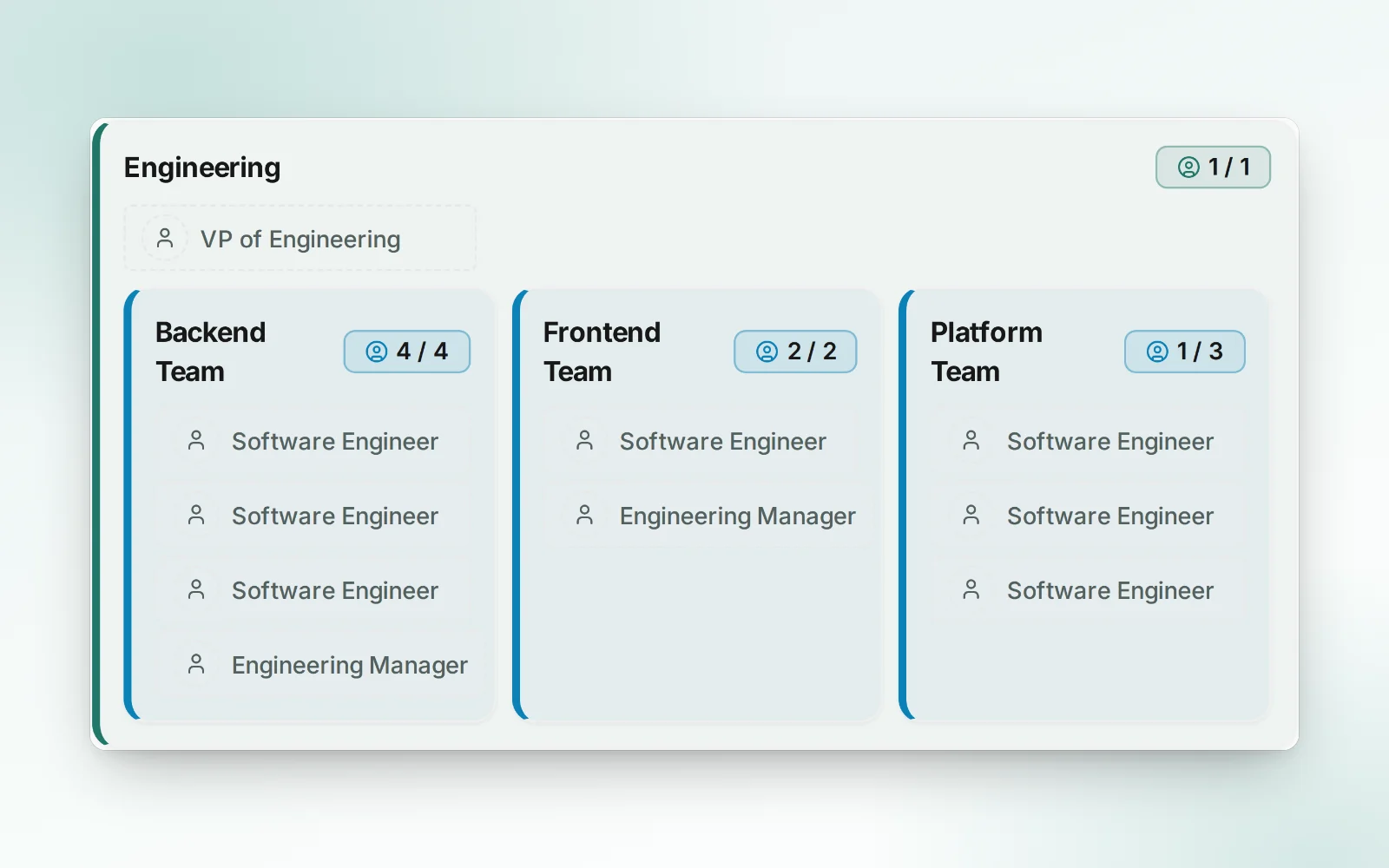
An org chart that keeps itself current
Start from your people directory, and joiners, leavers and manager changes arrive as updates to review. Nobody redraws boxes again.
Keep the org chart current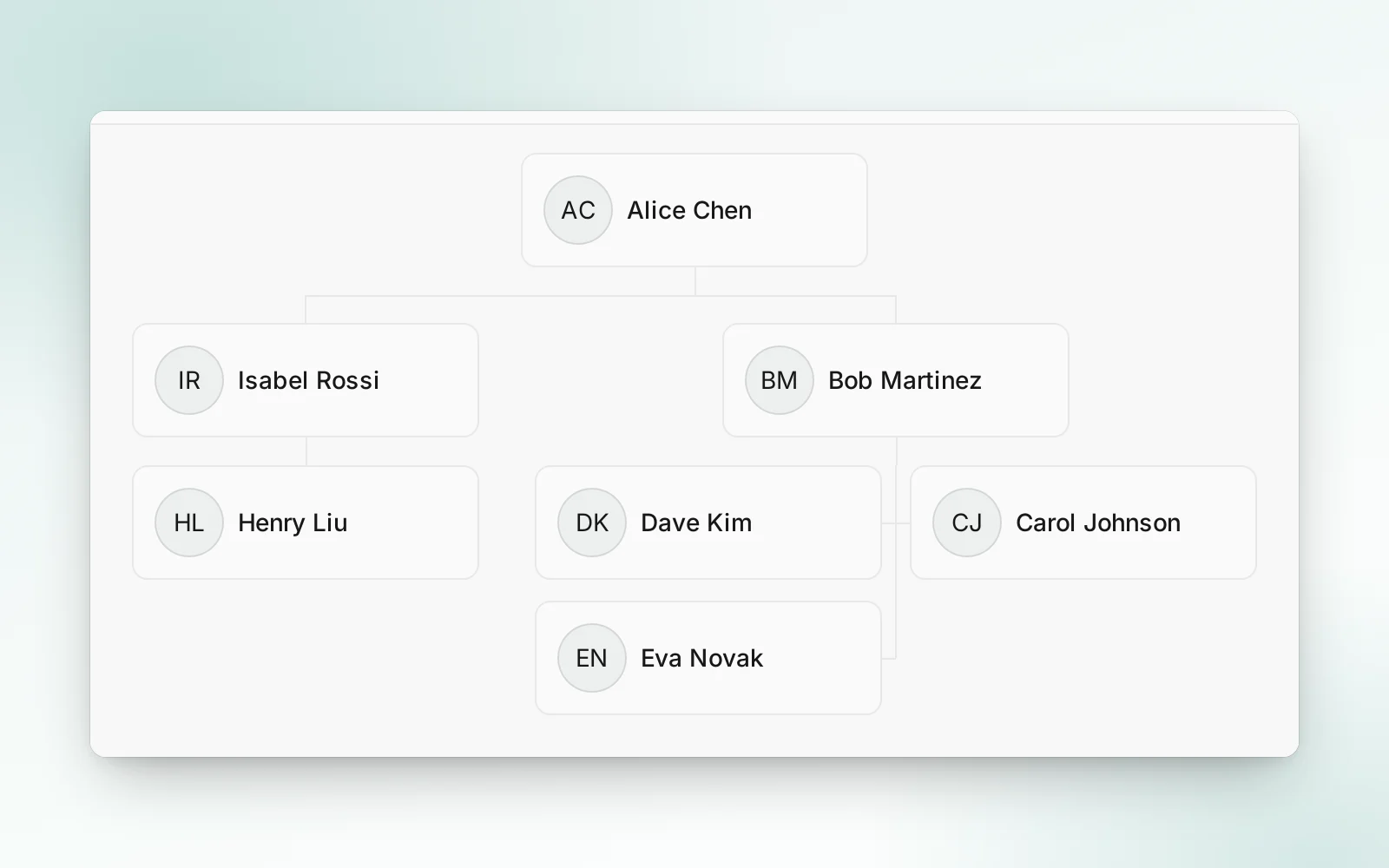
Try three reorgs before you commit to one
Branch the organization into options, weigh each against today on headcount and cost, and bring back only the one you pick.
Compare reorg options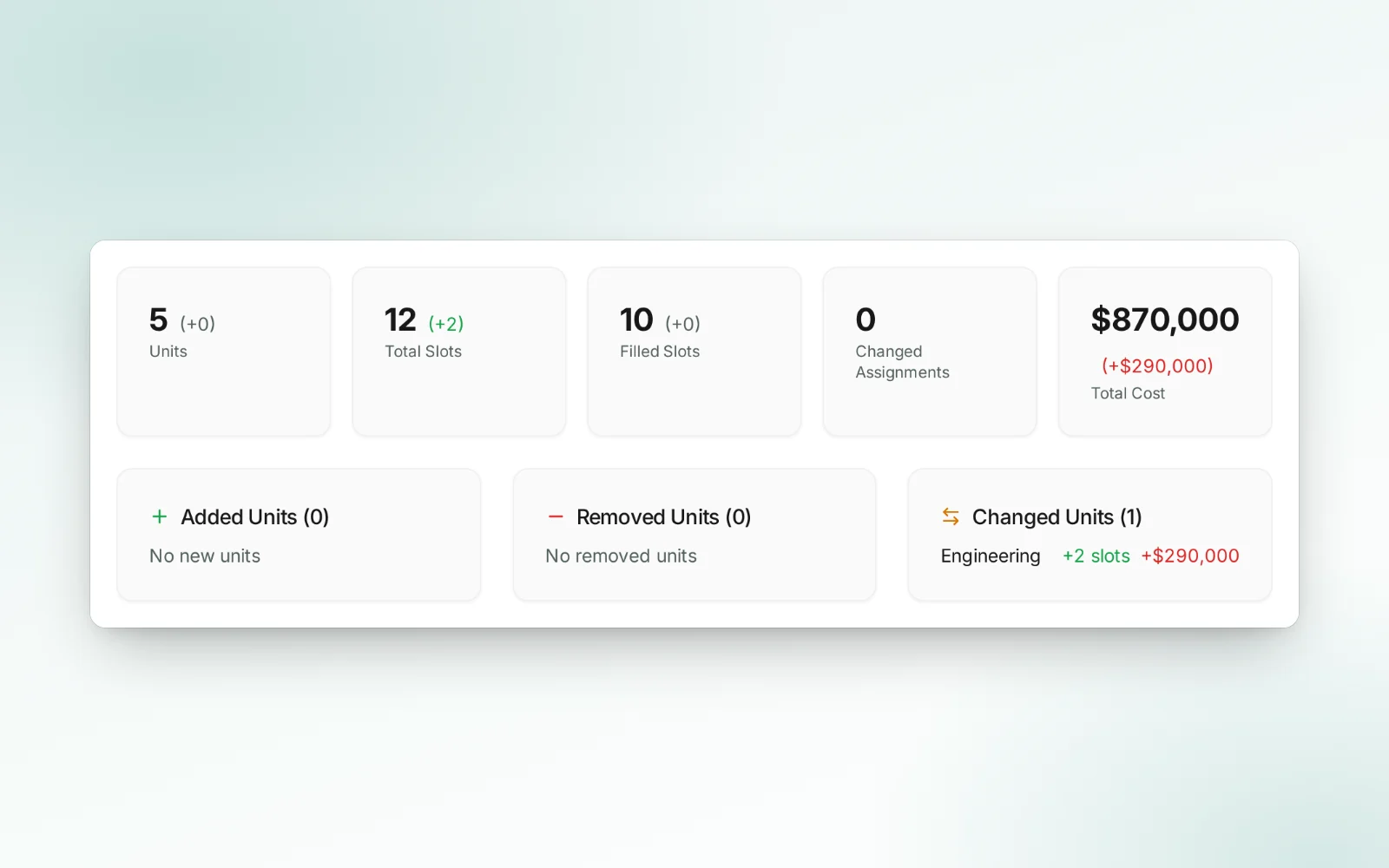
Know what a hire costs before you open the role
Rules price each position by role, level and location, filled or vacant, so the budget moves when the plan does.
Budget your hiring plan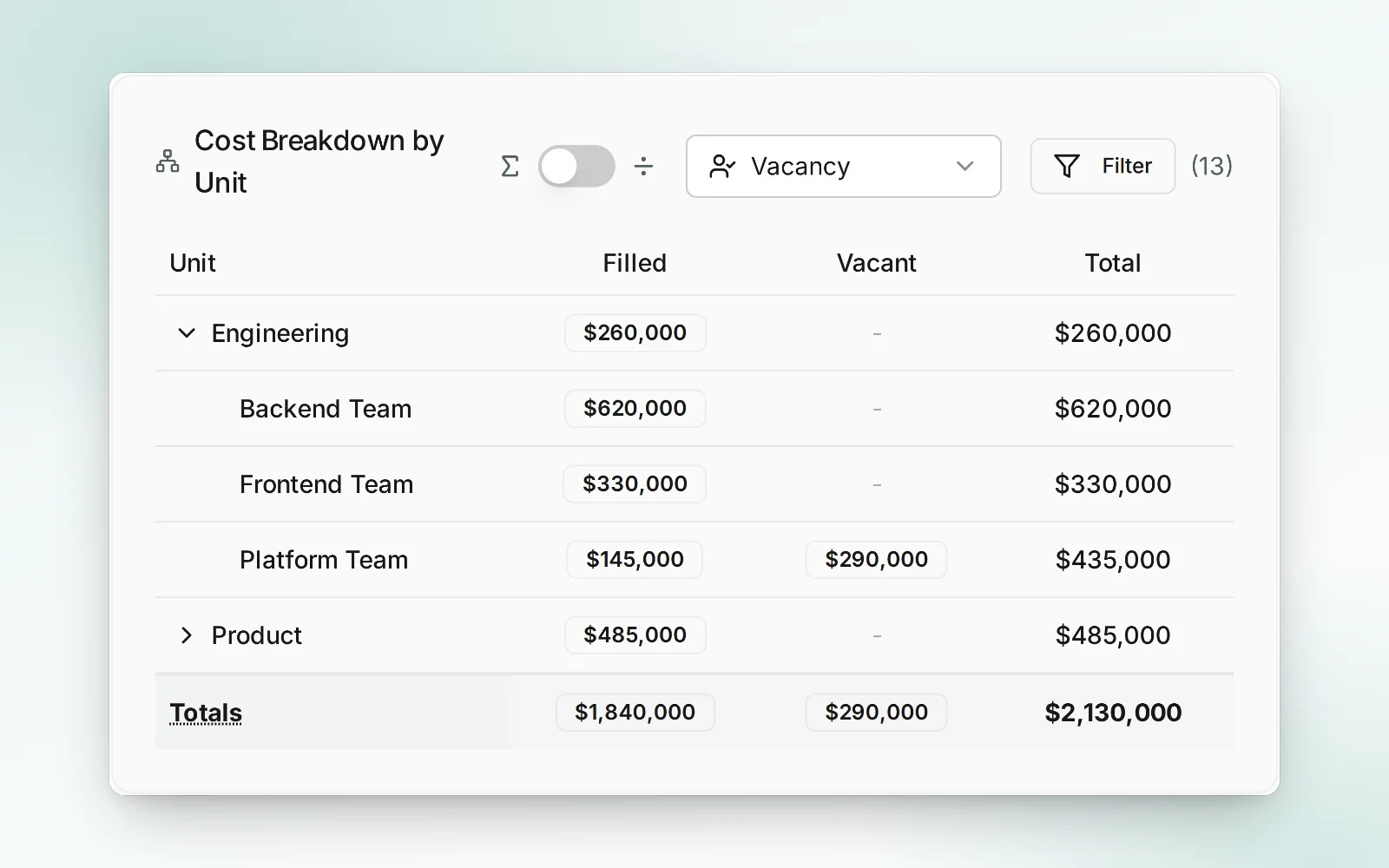
Plan the year, not just the next reorg
Roles that open in Q2, contractors who roll off in August, and the headcount across every quarter, all on one timeline.
Plan the year ahead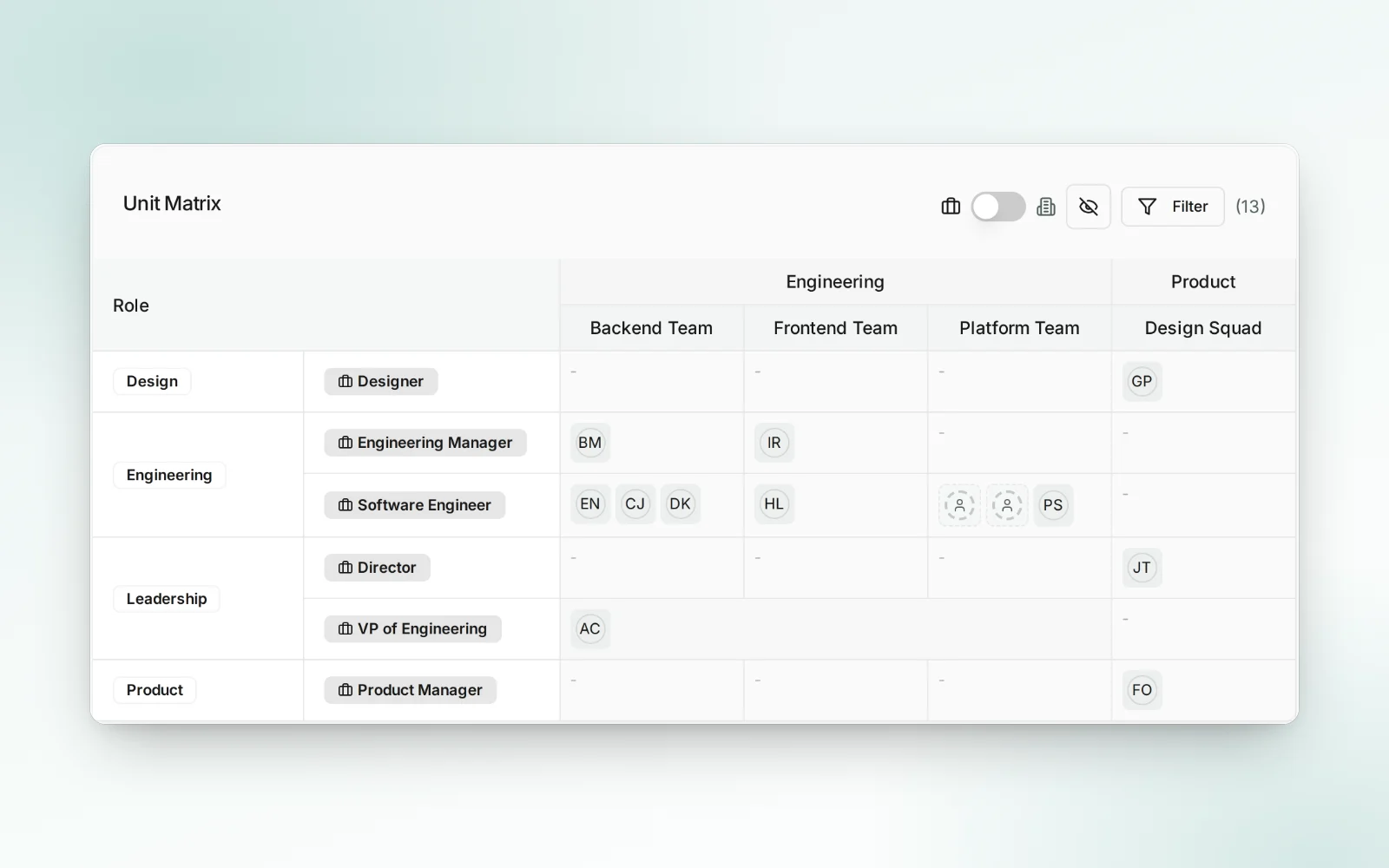
Nothing changes by accident
The real organization is protected. Every change reaches it through a review you can read line by line.
Fits the tools you have
Import from a CSV or your directory, read it through the REST API, and ask an AI assistant about it over MCP.
Private until it is ready
Keep a sensitive plan to the people who need it, with access by role and an audit log of every change.
Questions people ask
What is Resorcerer?
An organizational design and workforce planning tool. You build a model of your organization: units nested the way your company works, the positions in them (filled or open), the people in those positions with their role, level, location and company, and the reporting lines between positions. Cost profiles price every position, so headcount, cost and a problems report stay current as you change it. You see it as an org chart, a diagram, a matrix or a list, plan changes on a protected copy, compare any two models with every difference costed, merge back only what you accept, and lay your plans out over time.
How is it different from an org chart tool?
An org chart shows the structure you have. Resorcerer also prices every position, keeps open roles in the plan, holds drafts apart from the real organization, and shows exactly what a draft changes and costs before you merge it.
Can I plan a reorg before anyone sees it?
Yes. Protect the real organization, plan on a copy that only the people who need it can see, and lock a model when it should not change. Nothing reaches the real organization except through a merge you review, and every change is in the audit log.
Where does the data come from?
Import people from a CSV, sync them from Microsoft Entra ID, or have your identity provider (Okta, Entra ID and others) push them over SCIM. Turn a model live and joiners, leavers and manager changes arrive as a proposal you review before anything changes. Directory sync and SCIM come with Pro and Enterprise.
How much does it cost?
There is a free preview with a worked example organization. Basic is $250 a month with a 14 day free trial, and Pro, at $1,000 a month, adds integrations, webhooks, service accounts and single sign-on; see pricing.
Can AI assistants work with it?
Yes. Ask the built-in AI assistant about your organization, connect your own assistant over MCP, or build on the REST API and outgoing webhooks.